

Reward tier best practices
· Pro · 2 min
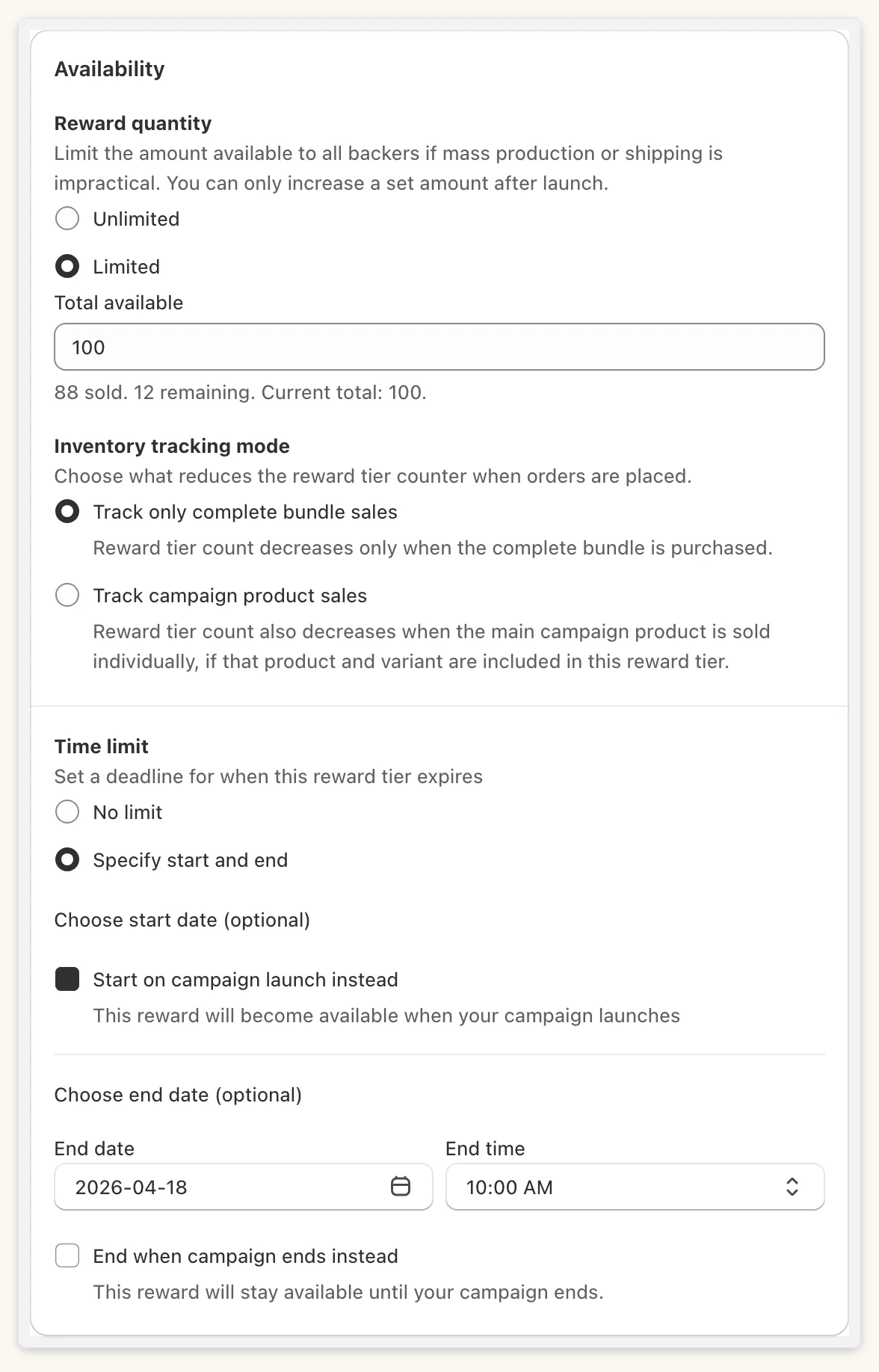
Scarcity comes from the tier’s own cap, not from emptying your Shopify stock. Under Reward quantity, choose Limited and set Total available. Storefront cards then show “12 left of 50” and a stock bar. Unlimited is the default and shows no bar.
Keep Shopify stock at least as high as the cap
Section titled “Keep Shopify stock at least as high as the cap”You never want to sell units you do not have. When you first set a cap, the field only accepts values from 0 up to the lowest live stock across the tier’s products (“Enter a number within the range of 0 to N for available stock”). After that you can raise it freely, but never below the number already sold. Editing the cap keeps the sold count.
Pick an inventory tracking mode
Section titled “Pick an inventory tracking mode”Inventory tracking mode is Track only complete bundle sales by default, or Track campaign product sales. Decide which one before launch, because it changes how sales count against your cap.
Show real scarcity
Section titled “Show real scarcity”Backers see “12 left of 50”, then “None left” and “Sold out”. The stock bar turns red at or below the low-stock threshold (default 10%, adjustable from 1% to 50%). Show limited stock on reward cards is on by default; keep it on if scarcity is part of the pitch.
Use time-limited tiers for early birds
Section titled “Use time-limited tiers for early birds”For an early-bird tier, set Time limit to Specify start and end. You can instead tick Start on campaign launch instead or End when campaign ends instead. The time cell is hidden once the tier sells out.