

End a campaign
· Any plan · 2 min
You can end a campaign that is Active: open it and choose End campaign, or select it in the campaigns list and use the bulk end action. Ending cannot be undone. A campaign also ends by itself at its end date, or when the goal is reached if you turned on auto-end (see Auto-end vs manual end).
What the dialog says
Section titled “What the dialog says”The dialog depends on the campaign type.
- Order now: “Ending this campaign will remove it from your product page and will end fundraising. This can’t be undone.”
- All-or-nothing pre-order: if the goal isn’t met, pre-orders will auto-cancel. If it is reached, payment will auto-capture. You tick I understand before the End campaign button is enabled.
- Flexible pre-order: payment is captured at the end whether or not the goal is met. The dialog shows how many pre-orders the campaign has. If you would rather not charge a backer, cancel their order before you end the campaign.
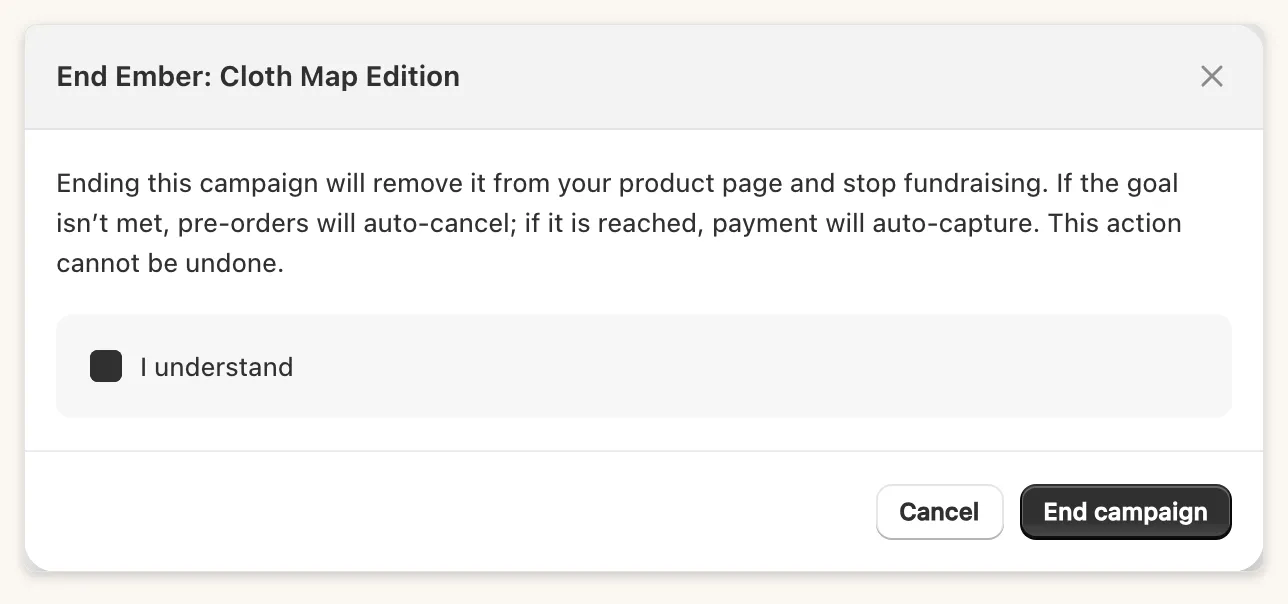
What happens next
Section titled “What happens next”- All-or-nothing, goal met: payments are captured automatically.
- All-or-nothing, goal missed: open pre-orders are cancelled and their authorizations released. Orders that were already paid are refunded. Initial funding counts toward the goal check.
- Flexible: payments are captured either way.
If any orders were not processed, the campaign page then shows Capture Payments or Cancel Orders. See Orders and payments.
Ended or Stretched
Section titled “Ended or Stretched”What the storefront shows afterwards depends on After the campaign ends under Display the Fundpop widget.
- Ticked: the campaign becomes Stretched. The widget stays on the product page and sales keep counting, unless Prevent sales when ended is on. Usage fees may apply while it is Stretched.
- Not ticked: the campaign becomes Ended and is removed from the product page.
A Stretched campaign has no End campaign button. It becomes Ended when you untick After the campaign ends under Display the Fundpop widget.
Before you cancel your plan
Section titled “Before you cancel your plan”Cancelling a paid plan or losing the subscription finishes your campaigns. End your campaigns on purpose first and capture or resolve their orders, so you control what happens to pre-orders. See Plans, pricing and billing.