

Classic themes
· Any plan · 1 min
A classic theme has no JSON templates (product.json, collection.json, index.json), or no main section that supports app blocks. For these themes the setup guide shows a classic step with two choices.
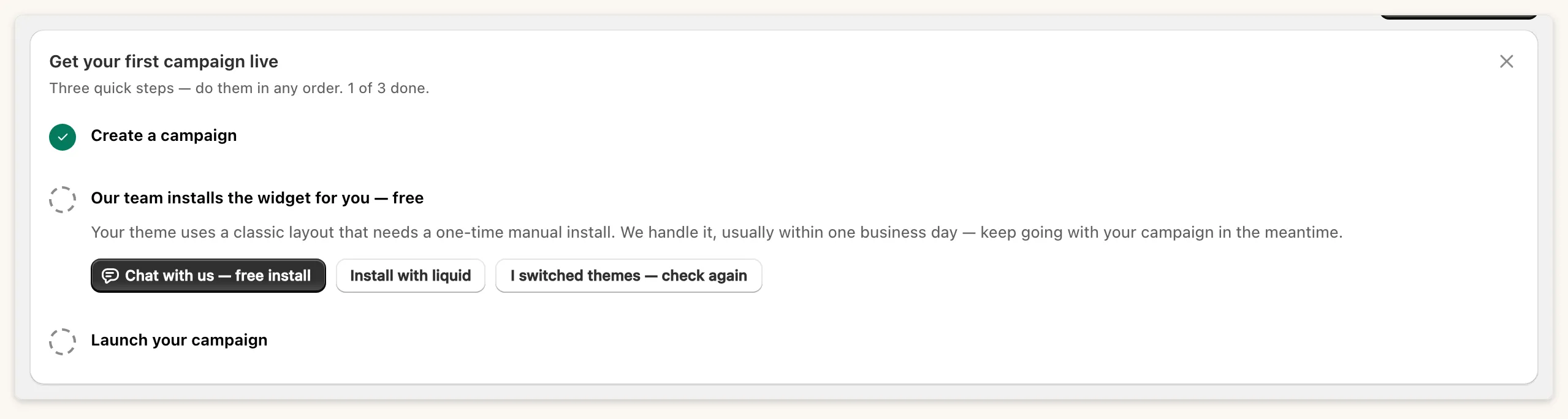
Free install
Section titled “Free install”Choose Chat with us, free install. Our team installs the widget, usually within one business day.
Install with liquid
Section titled “Install with liquid”Choose Install with liquid and follow the three steps:
- In Shopify, open Edit code, then Snippets and Add a new snippet. Name it exactly
fundpop-widget. Paste the code from the wizard (Copy snippet code, or Download fundpop-widget.liquid), then Save. - Open
product.liquid, or the product template under Sections. Paste{% render 'fundpop-widget' %}just below the buy buttons, then Save. - Back in Fundpop, choose Check installation.
If detection fails you will see: “Not detected yet. Confirm the snippet is named fundpop-widget, the render line is on your live product template, and you clicked Save.” Detection reads your live theme’s product template only. If you change themes, use I switched themes, check again.
Common questions
Section titled “Common questions”Homepage pin on a manual install? Use the snippet from the current wizard.