

Orders and payments
· Any plan · 2 min
Order now campaigns settle at checkout, so there is nothing to capture. Pre-order campaigns authorize or collect a pledge at checkout and capture the rest when the campaign ends.
The Orders page
Section titled “The Orders page”Open Orders in the Fundpop menu. The tabs are All, Pending, Paid, Authorized, Partially paid, Cancelled and Closed. The columns are Campaign name, Order, Contribution, Status, Date and Milestone Rewards, and you can sort by Campaign name, Date or Contribution.
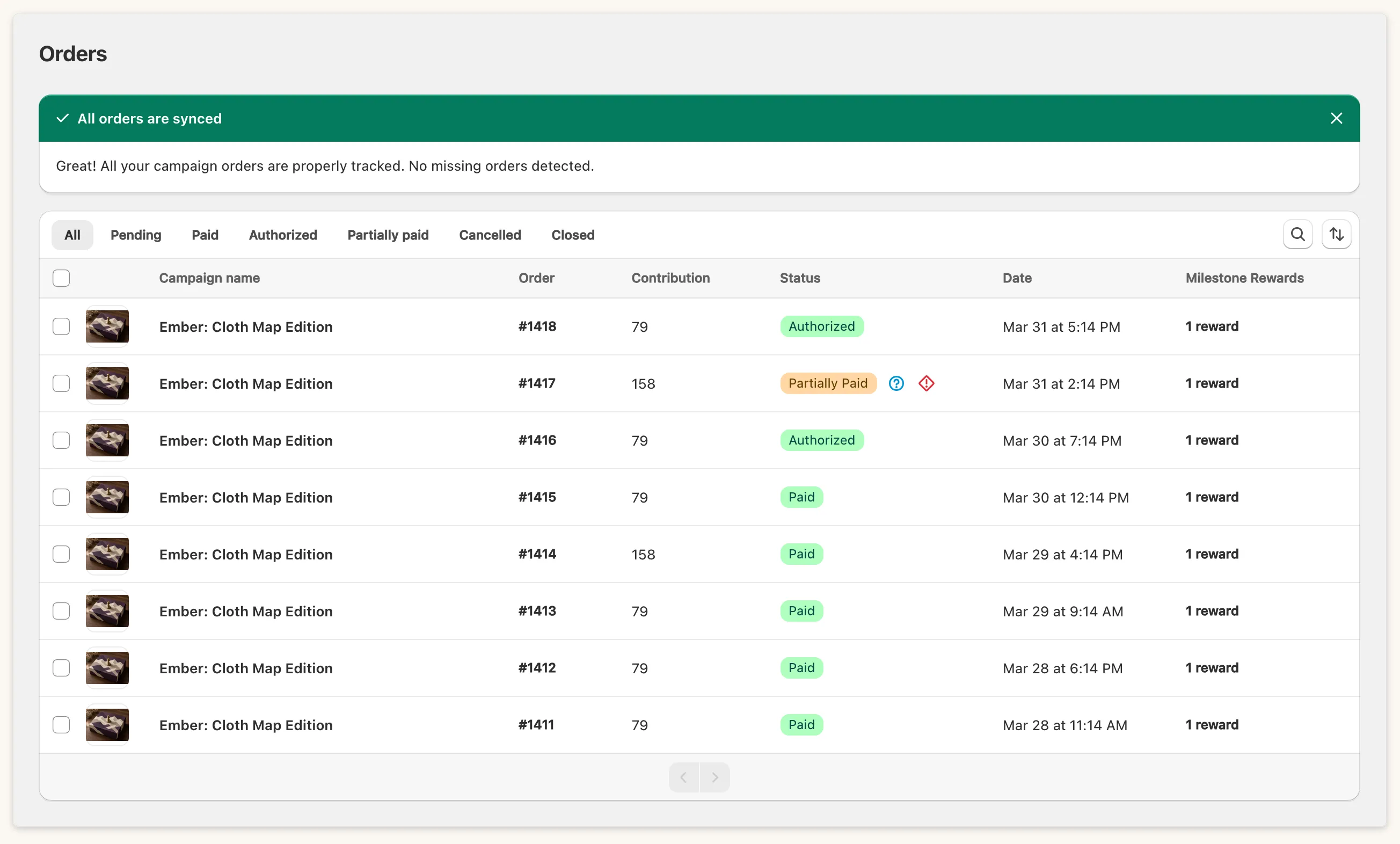
A Partially paid pre-order is simply waiting for its balance. A red failed-payment icon means the last capture was declined: its tooltip reads “There was an issue processing the payment”.
Capture payments
Section titled “Capture payments”Fundpop captures pre-order payments automatically when the campaign ends. You only need to act in two cases.
- Retry after a failure. Once the campaign has ended, its page shows Capture Payments (N orders). Confirm in Confirm Payment Capture. Orders that were not captured are retried, and a message reports how many payments were processed or failed.
- Capture early on a Flexible campaign. On the Orders page, select Flexible pre-orders that are Pending or Partially paid and use Capture Payments. Tell your backers first: the tooltip on these orders reminds you to notify customers if you capture before the campaign ends.
Capturing cannot be undone.

If an all-or-nothing campaign misses its goal, the same place shows Cancel Orders (N orders) instead.
Common questions
Section titled “Common questions”Do Order now orders cancel when I end? No. Ending only affects pre-orders. See End a campaign.
Can I use reward tiers with Pre-order? No. Create reward tier is disabled with “Reward tier is not available for pre-order campaign”. Use Order now for tiers.