

Campaign timing
· Any plan · 2 min
The Campaign duration section sets when the campaign starts and stops, and what shoppers see around those dates.
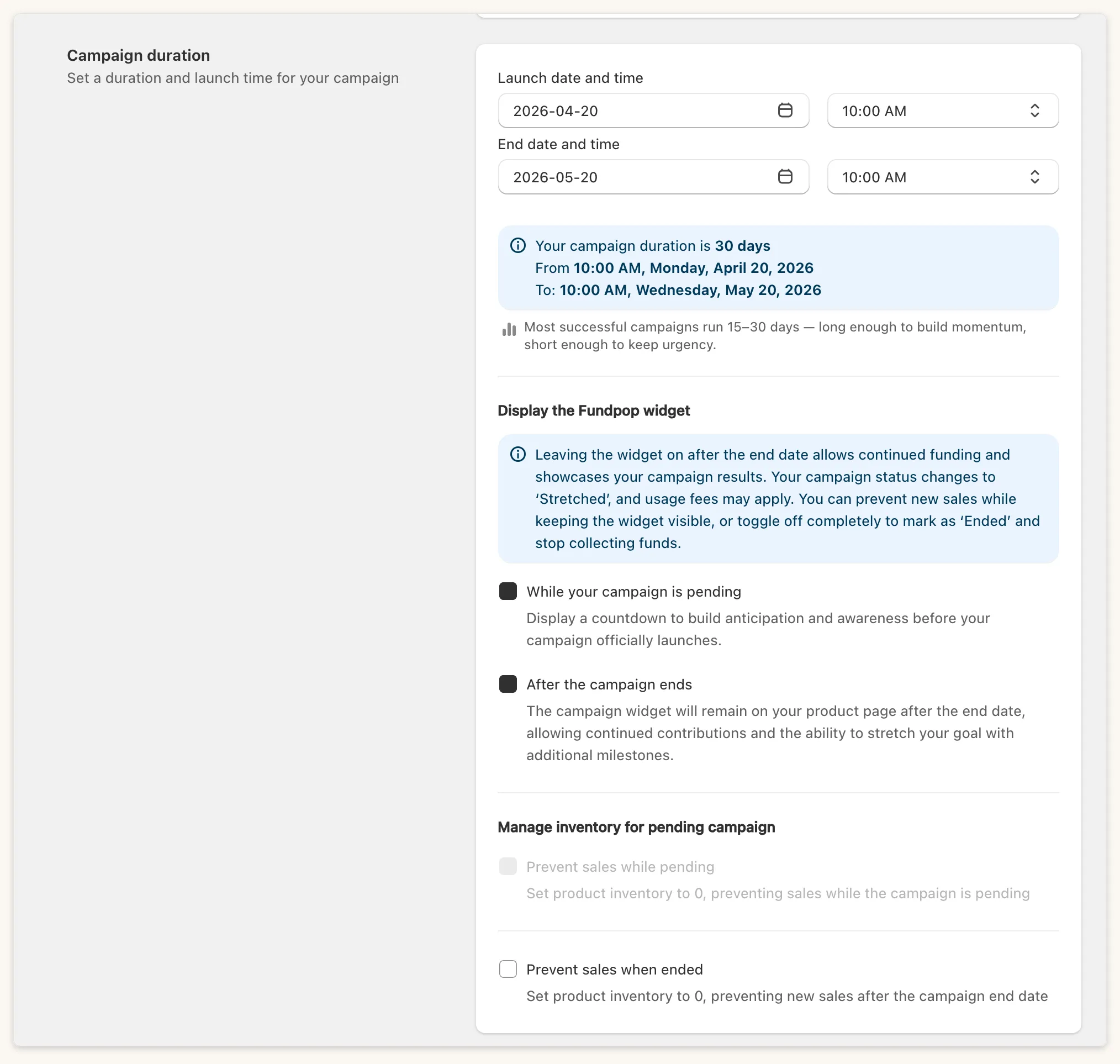
Launch
Section titled “Launch”When you create a campaign, choose Launch now or Schedule launch time. For a scheduled launch, set Launch date and time. The launch cannot be earlier than yesterday, and past times are disabled on the launch day. Saving a future launch time schedules the activation again.
The date pickers use your browser’s local time.
Set End date and time. It must be after the launch time, and no more than 365 days later (“Campaign end date must be after the campaign launch date”). On the same day, the end time must be after the launch time. You can still change the end date after launch while the campaign is Active or Stretched.
Display the Fundpop widget
Section titled “Display the Fundpop widget”- While your campaign is pending: shoppers see the widget before launch. Prevent sales while pending appears only when this is ticked on a scheduled launch, and locks after you save.
- After the campaign ends: the campaign becomes Stretched instead of Ended. Fundpop warns that usage fees may apply. Prevent sales when ended appears only when this is ticked.
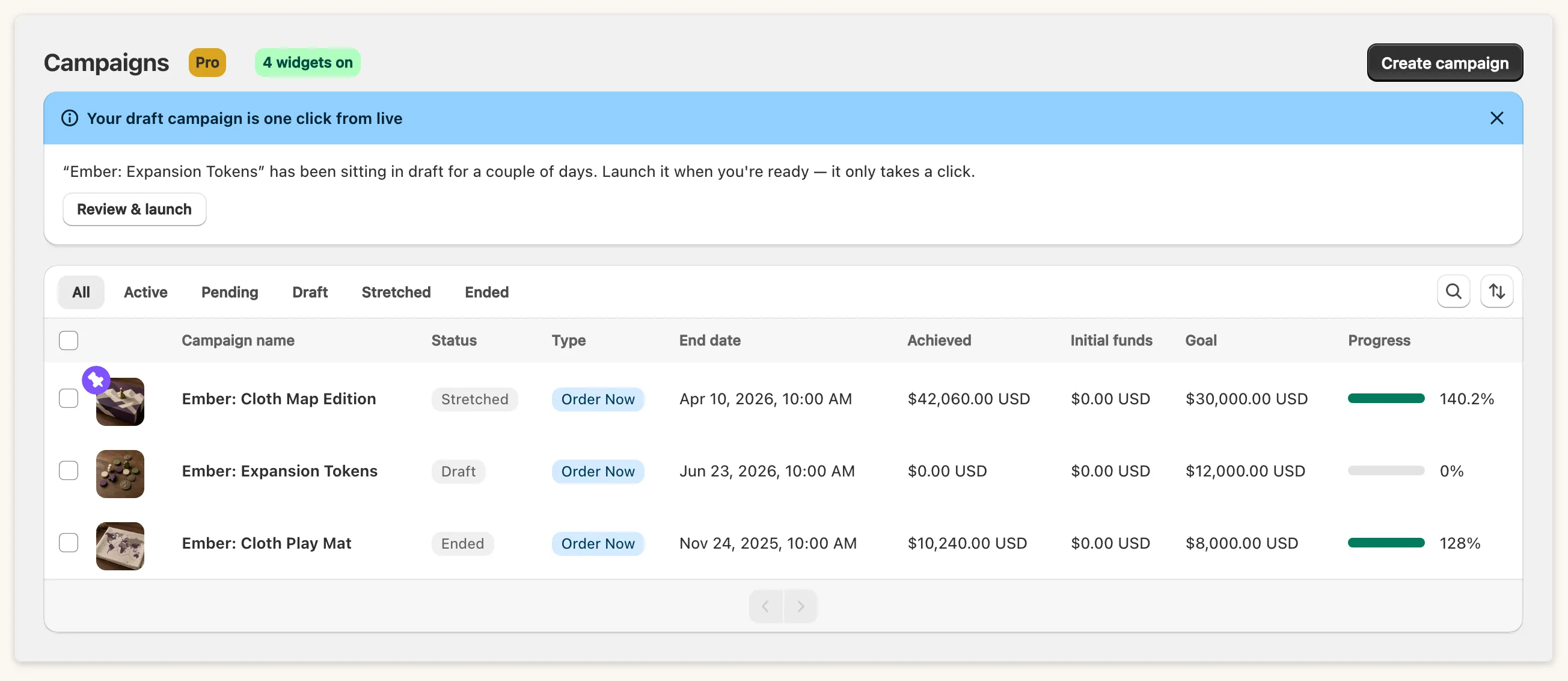
Moving a Stretched campaign’s end date into the future makes it Active again, and a pre-order’s capture moves to two hours after the new end date.
One campaign per product
Section titled “One campaign per product”A product can be in only one unfinished campaign: “This product is currently linked to an active campaign. Only one campaign can be assigned to a product at a time.”
Draft campaigns
Section titled “Draft campaigns”A Draft campaign launches on its own once nothing blocks it, for example when its product is no longer Draft in Shopify. Ending is run by a scheduled job, with an hourly check as a safety net.