

Payments and mixed orders
· Any plan · 2 min
Order now campaigns charge at checkout. Pre-order campaigns collect later, and Pre-order is only available once Shopify Payments is enabled and configured: until then the app shows “You need set up Shopify Payments to be able to select Pre-order”.
When payment is captured
Section titled “When payment is captured”Fundpop captures pre-order payments automatically when the campaign ends.
- All-or-nothing: if the goal is met, payments are captured at the end. If it is missed, the pre-orders are cancelled.
- Flexible: payments are captured at the end whether or not the goal is met. You can also capture earlier from the Orders page, so tell your backers before you do.
A campaign’s Capture Payments (N orders) button on the campaign page only appears after the campaign has ended (Ended or Stretched). Capturing cannot be undone.
What the order statuses mean
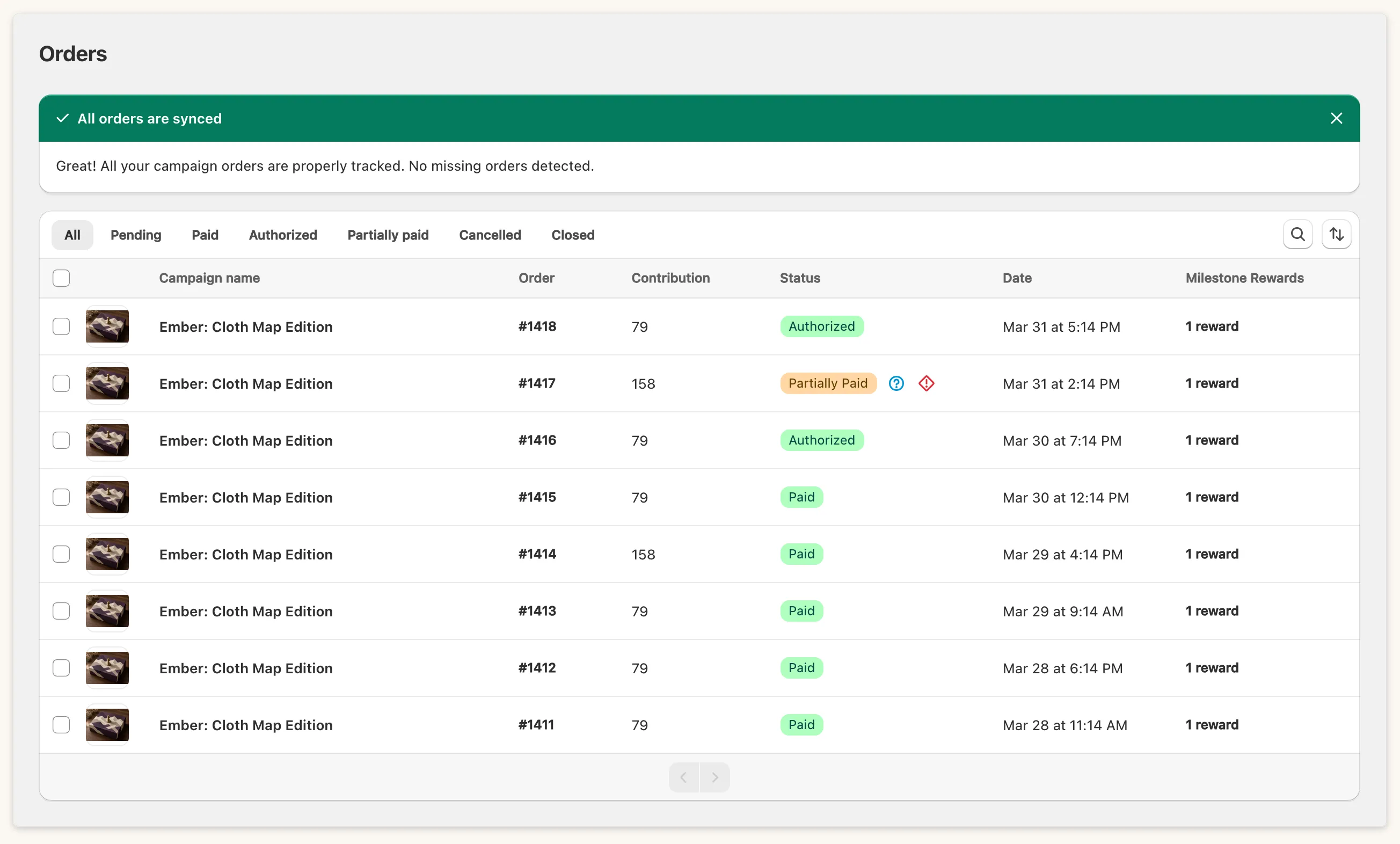
Section titled “What the order statuses mean”- Authorized: the payment is held and not yet captured.
- Partially paid: a pre-order whose balance has not been collected yet. It is also what you see on a mixed order when another item in the same order was already charged. It is not a failure.
- Red failed-payment icon: the capture was declined. The tooltip reads “There was an issue processing the payment”. Run Capture Payments again: orders that failed are retried.
Mixed orders
Section titled “Mixed orders”When a backer buys a campaign product together with items from outside the campaign, only the campaign lines are affected if an all-or-nothing campaign misses its goal. Fundpop removes those lines from the order and refunds them. The other items stay on the order.
If a campaign fails its goal
Section titled “If a campaign fails its goal”On a failed all-or-nothing campaign the campaign page button reads Cancel Orders (N orders) and asks you to confirm. Orders that were already paid are refunded.